Chumby podcatcher

Here’s a video of my Chumby podcatcher (podcasting client) in action:


And a couple of photos:
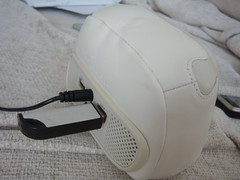
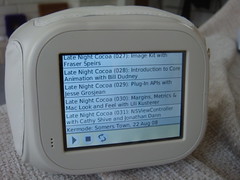
Chumby USB stick for podcatcher Chumby Podcatcher

Just finished getting a UI working on the Chumby. Last week I had the basic http server running in the Chumby and I could browse to it from my laptop and control it that way. Today I managed to get a simple flash widget written that interacts with that server, so a laptop isn’t needed.

The http server is written in Python (see here for info on running Python on the chumby). It has the job of downloading the feeds and interacting with the audio server on the chumby (called btplay). It’s all pretty standard, except that the version of Python I was using didn’t have BaseHTTPServer. This meant I had to roll my own (thankfully pretty easy) using the SocketServer module.

The UI is written in flash (using swfmill and MTASC) and talks to the server to find out about available episodes and to stop/start the audio.

Once I’ve used it for a bit and made sure it’s ready for use I’ll release it and the code behind it. Hopefully other people will find it useful. I know for me this has been one feature that I wish the Chumby already supported. That’s the great thing about the Chumby though – if you want a feature bad enough you can just get in there and write it yourself!

I should also be talking about this app at the next £5app (which should be late September).

7 Responses to “Chumby podcatcher”

  1. Psychic Origami » Blog Archive » Next £5app - September 18th 2008

    [...] Psychic Origami folding with my brain « Chumby podcatcher [...]

  2. George

    So, I’m reading your post, and I’m wondering whether the Chumby can be hacked to run scheduled widgets from the USB port (USB drive, lets’ say) or from another web server? Is that what you’ve done (or gotten close to doing) when I read:

    “It (the http server) has the job of downloading the feeds and interacting with the audio server on the chumby” …

    It sounds to me like you’ve carved out the Chumby server requirement with this application… is that right? If so, that’s very exciting! Please let me know, thanks for the posts.

    Tx,

    George

  3. john

    Hi George,

    Well you can force the chumby to run things on reboot that are on the USB stick via a “debugchumby” script, which is how I get the http server that downloads the podcasts working. You can use this to run a single widget if you want or you can mix local widgets (from the USB stick into the other list of widgets).

    Via those things you can probably hack the chumby to run widgets from where ever you wanted.

    I really need to publish the code for the podcatcher – I just haven’t developed it much further since (as the Flash side of things is a bit tricky).

    cheers,

    John

  4. Craig

    Could you possibly email the actionscript source. I don’t care about the status of it, just want to look it as an example. Thanks, I learned a lot from your clock widget source.

  5. john

    I’ll try and put the code online soon. It’ll be a bit untidy and un-documented, but might as well share it with the world…

  6. john

    Details about where the source is for all this is here:

    http://www.psychicorigami.com/2010/01/09/chumby-podcast-client-source-code/

  7. Psychic Origami » Blog Archive » Chumby Podcast Client Source Code

    [...] so I blogged about a podcatcher/podcast client for the Chumby quite a while ago (August 2008 to be precise). At the time I said I’d tidy things up and [...]

Leave a Reply